
Atlassian uses cookies to improve your browsing experience, perform analytics and research, and conduct advertising. Accept all cookies to indicate that you agree to our use of cookies on your device. Atlassian cookies and tracking notice, (opens new window)
Confluence

OTC Knowledge Base
  • Troubleshooting articles
    Troubleshooting articles
     This trigger is hidden
  • How-to articles
    How-to articles
     This trigger is hidden
Results will update as you type.
  • Sharing a Published Calendar in Outlook
  • Sharepoint Files in Canvas Refuse to Connect
  • A:\ Drive
  • Account lockout and login errors
  • Accessing OTC Email through MyOTC
  • Add an Entry to the Address Book on an Office Copier
  • Adding documents and folders to a Sharepoint site
  • Adding Shared Mailboxes to Web Email
  • AirServer instructions
  • Attaching Files for Upload in Docusign
  • AVer Document Cameras
  • Benefits Open Enrollment
  • Blocked web page
  • Browser Issues on macOS - Network Filters
  • Browser logging into the wrong account on a web page
  • Canvas is displaying last semester, incomplete, or course list in Dashboard
  • Changing default programs
  • Changing your monitor layout (display order)
  • Checking for and installing Windows updates
  • Chrome printing known issues
  • Chromebook use at OTC
  • Cisco Secure Client (VPN)
  • Clear the Teams App Cache
  • Clearing your browser's cache
  • Clearing your browser's cookies
  • Collaborate (co-author) on a project in Microsoft Office
  • Computer Use Agreement
  • Conference room layouts
  • Configure Multiple Desktops in Windows 11
  • Configuring Time Zone in Web Email
  • Connection not secure on OTC's website
  • Digital signage white pages
  • Display options for multiple monitors
  • Document Library and OneDrive
  • Documents written in Apple's Pages do not open correctly in Windows Microsoft Word
  • DocuSign overview
  • DocuSign Signing Instructions & FAQ
  • DVD "Cannot play media" error
  • Email attachments between Canvas and email inboxes
  • Email Group Moderator View

    You‘re viewing this with anonymous access, so some content might be blocked.

      OTC Knowledge Base


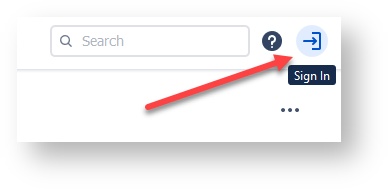
      NOTE: OTC Students and employees will be able to view more results if they sign in.
      Frequently asked questions

      • OTC Accounts and Access
      • Employee vs. Student Accounts
      • How to Reset Your OTC Password
      • Papercut Wireless Printing
      • Office/Outlook 365 on mobile devices

      Need more help?

      • Live Chat

      • IT Phone Support: 417-447-7548

      • Email the IT Help Desk
      • Submit a service request

      Other resources

      • Admissions
      • Advising
      • Online / Canvas Support
      • Registrar
      • Web Services


      Browse by topic

      1. A-B
        • access
        • account
        • acrobat
        • adobe
        • av
        • aver
        • block
        • bookmarks
        • browser
      2. C
        • calendar
        • call
        • camera
        • camtasia
        • canvas
        • chrome
        • chromebook
        • chromeos
        • cisco
        • classsroom
        • cloud
        • colleague
        • creative
        • cwd
      3. D-E
        • default
        • digital
        • document
        • dvd
        • email
        • email-templates
        • emergency
        • employee-id
        • ems
        • error
        • expired
      4. F-H
        • fax
        • faxing
        • file
        • firefox
        • forward
        • geoblock
        • geoblocking
        • google
        • guide
        • harmful
      5. I-M
        • id-snapshot
        • inbox
        • international
        • kb_restricted_page
        • login
        • mac
        • macos
        • missing
        • mobile
        • monitors
        • myotc
      6. N-O
        • network
        • network-drive
        • notification
        • office
        • onedrive
        • otc-id
        • outlook
      7. P-Q
        • password
        • pdf
        • perceptive
        • phone
        • policies
        • powerpoint
        • print
        • printer
      8. R
        • r-drive
        • remote-desktop
        • resources
        • retention
        • rfid
      9. S
        • sensitive
        • settings
        • share
        • sharepoint
        • signage
        • smart-board
        • smartcard
        • sms
        • snapshot
        • sphere2
        • student
        • student-id
      10. T-Z
        • teams
        • token
        • travel
        • traveling
        • troubleshooting
        • username
        • video
        • webcam
        • wifi
        • word
        • youtube
        • zoom


      {"serverDuration": 28, "requestCorrelationId": "085791d893024a2eae9f8f2f8161b59b"}